
The basic idea
A geofence is a virtual boundary drawn around a real place, usually a circle a certain number of meters wide, centered on a spot you or an app chose. A geofence reminder is just a notification that fires when your phone crosses that boundary, either going in or going out.
That's the whole concept. The useful part isn't the boundary itself, it's what it lets an app do: react to where you physically are without you having to open the app or tell it anything.
How your phone actually detects this
Your phone isn't constantly checking GPS to watch for this. That would drain the battery in a few hours. Instead, both iOS and Android have a dedicated system for exactly this job, built into the operating system itself. An app registers a handful of coordinates and radii with the OS once, and the OS takes over from there, using a mix of GPS, Wi-Fi networks, and cell towers to work out roughly where you are with much less power than continuous GPS tracking would need.
When you cross one of those boundaries, the OS wakes the app just long enough to do something about it, show a notification, run a small task, then lets it go back to sleep. This is why a well-built geofence reminder can run in the background for weeks without meaningfully affecting your battery.
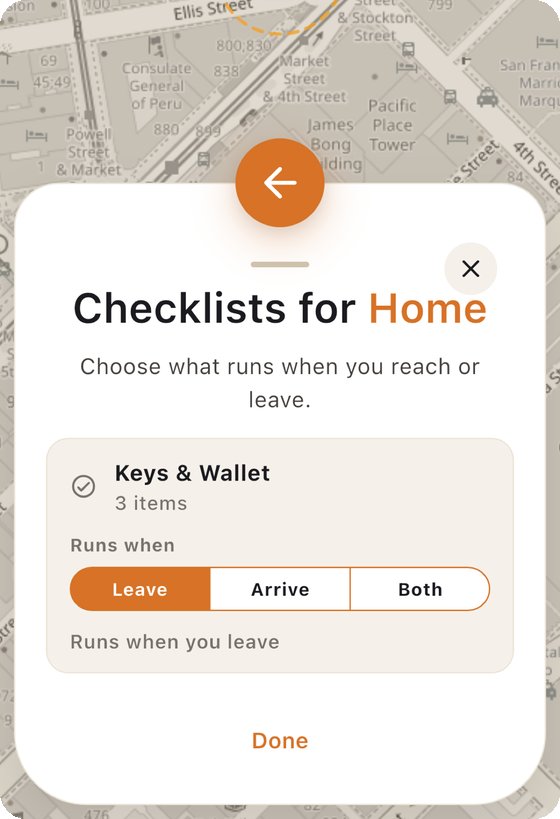
Geofencing isn't the same as location tracking
This is the part that trips people up, and it's worth being precise about. Continuous location tracking means an app is recording where you are over time, building a history of your movements. A geofence is narrower: it only cares about one specific boundary, and only fires when you cross it.
A well-built geofence reminder doesn't need to know your route, your speed, or anywhere you've been that isn't inside one of its saved boundaries. It just needs to know: are you inside this circle, or outside it. Whether an app also logs a history on top of that is a separate design decision, not something geofencing itself requires.
What it's actually used for
- Leaving reminders. A prompt that shows up after you leave home or work, while you can still turn back for what you meant to grab.
- Arrival automations. A smart home turning the heating on when you're a few minutes from home.
- Store and delivery notifications. A retail app that sends a coupon when you walk near a physical store.
- Family location sharing. A notification when a family member arrives somewhere, without anyone needing to check in manually.
The common thread is timing. All of these are more useful the moment the crossing happens than they would be at any fixed time of day, which is exactly the gap a plain reminder or alarm can't fill.
The privacy question people usually ask
The honest answer is: it depends entirely on how the app is built, not on geofencing as a concept. Geofencing itself only requires the OS-level boundary check described above. Whether that data leaves your phone, gets stored on a server, or gets used for anything besides the reminder is a choice the app makes, separate from the underlying technology.
When you're evaluating an app that uses this, the actual question worth asking is narrower than "does it use my location." It's: does the detection happen on the device, does anything about where I've been leave my phone, and can I see exactly what data the app is keeping. Those are answerable, specific questions, and any app that takes privacy seriously should be able to answer them plainly.